01
Courses built from a prompt or up to 10 files
Tell Argy whether you want a full course, a quiz deck, or flashcards. Answer a couple of questions about your level and timeline, then start learning straight away.
Start building free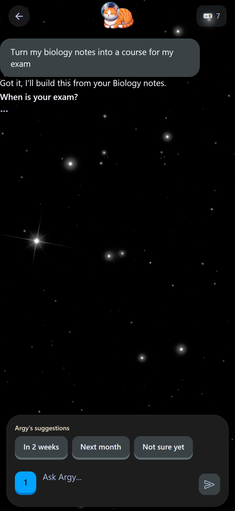
Type a topic or upload your notes. Argy asks what you need, then builds a course for your goal and your level, in a few minutes a day. Learn Anything AI - Argsmind turns any subject into interactive lessons, flashcards, and quizzes on Android and iOS.



Upload PDFs, PowerPoint decks, text files, or photos of your notes.

Move through short lessons, callouts, diagrams, and a final unit check.

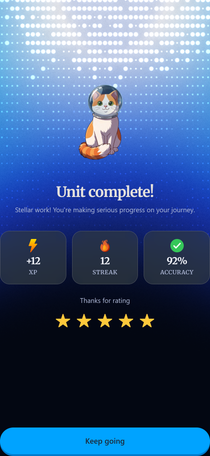
Earn XP after each unit, hold streak freezes, and review due flashcards.
Turn class notes, textbooks, or tough modules into daily lessons built around your level.
Build job skills or learn directly from a work manual or company guide in minutes a day.
Study foundations for a new role and practice key concepts before job interviews.
Argsmind pairs your study goals with the notes you already have. Upload up to 10 documents per course, answer a quick intake chat with Argy, and choose Standard, Advanced research, or My content only mode so lessons stay grounded strictly in your material.
Add PDF, PPTX, PNG, JPG, WEBP, TXT, or Markdown notes, or paste text directly in the app.
Pick My content only when learning straight from class handouts, work manuals, or your own notes.
Argsmind builds your modules in the background and sends an alert as soon as your path is ready.
Every Argsmind lesson mixes short reading turns with varied exercises, Tip and Key term callouts, labelled diagrams, and step-by-step practice so you test recall as you go.
Check key ideas quickly with instant explanations and hints after every answer.
Complete single or multi-blank statements using a focused word bank.
Connect terms, definitions, or chemical equations side by side.
Arrange biological processes, maths steps, or historical sequences cleanly.
Sort statements into categories at pace to sharpen quick recall.
Rate recall with spaced repetition and zoom into labelled diagrams or sketches.
Learn Anything AI - Argsmind combines guided course generation, interactive planet paths, and an optional conversational Tutor Mode so you can study complex topics in short daily sessions without hunting through messy PDFs.
Tell Argy whether you want a full course, a quiz deck, or flashcards. Answer a couple of questions about your level and timeline, then start learning straight away.
Start building freeWork through multiple choice, blanks, pair matching, ordering, and swipe sorting. Share finished courses on a Board with friends via an 8-character invite code and review due items daily.
See notes to course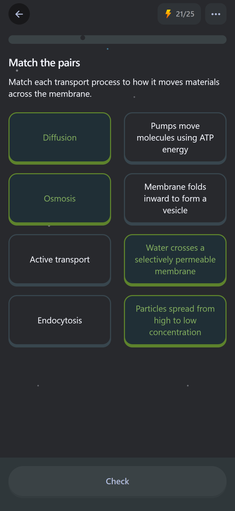
Want to ask follow-up questions mid-lesson? Pro unlocks Tutor Mode, where Argy chats through each concept, drops exercises inline in the thread, and offers optional voice read-aloud.
How Tutor Mode works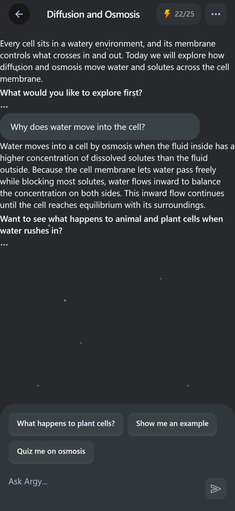
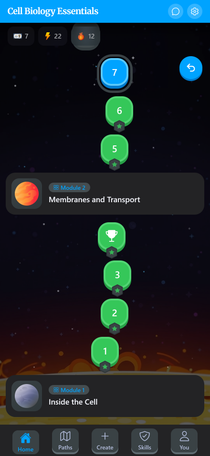
Getting started in Learn Anything AI - Argsmind takes three short steps. Type any subject or upload notes, answer Argy's quick intake questions about your level, and follow a visual planet path of bite-sized lessons, flashcards, and spaced-repetition reviews.
Type any concept or attach PDFs, slides, photos, or pasted notes.
Argy asks what you need, then organises your topic into planet modules.
Complete short lessons, review due cards, and build your daily learning streak.
Every screenshot below comes directly from the mobile app on iOS and Android.
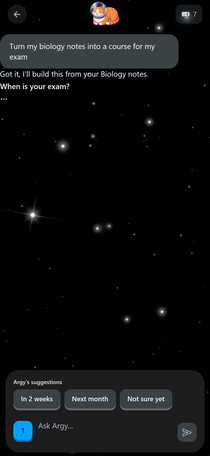
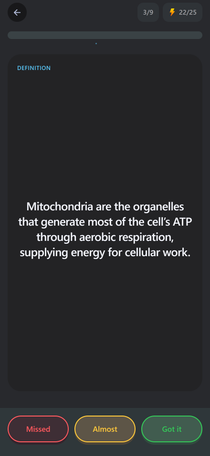
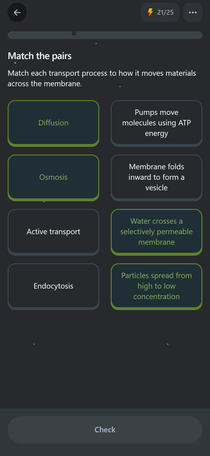
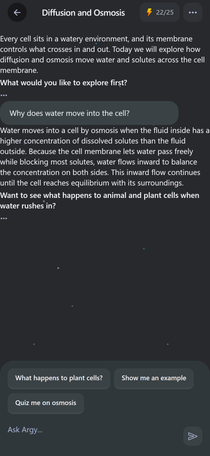
Each Argsmind lesson tests understanding right away rather than waiting until the end of a chapter. Try this three-question sample covering Biology, Chemistry, and Mathematics to see instant feedback and concise teaching explanations before building your own course in the mobile app.
Download Learn Anything AI - Argsmind free on Android or iOS. Start with free starter and monthly course points, interactive lessons, flashcards, and spaced-repetition reviews, or unlock Tutor Mode and unlimited fuel with Pro.